Everything lives in different tools
Schedule in a spreadsheet, payment notes in a notebook, parents in chat threads. Nothing matches at the end of the month.
Run groups, teacher calendars, client balances, and reminders in one workspace.
You choose the reminder and balance deduction times. Messages are shortened in this example.
Sound familiar?
Schedule in a spreadsheet, payment notes in a notebook, parents in chat threads. Nothing matches at the end of the month.
Passes sold on paper make it impossible to know which student still has classes left and who owes money.
Messaging every group about every class — and every schedule change — by hand is a part-time job.
When changes live in someone's head, teachers miss updates and students show up to cancelled classes.
How it works
Schedule, prepaid balances, and reminders without spreadsheets or chats. More time for your clients.
Add lessons, groups, teachers, and recurring series.
Track passes through balances and operation history.
MySched deducts session prices from balances, refunds cancelled lessons, and sends reminders.
Core features
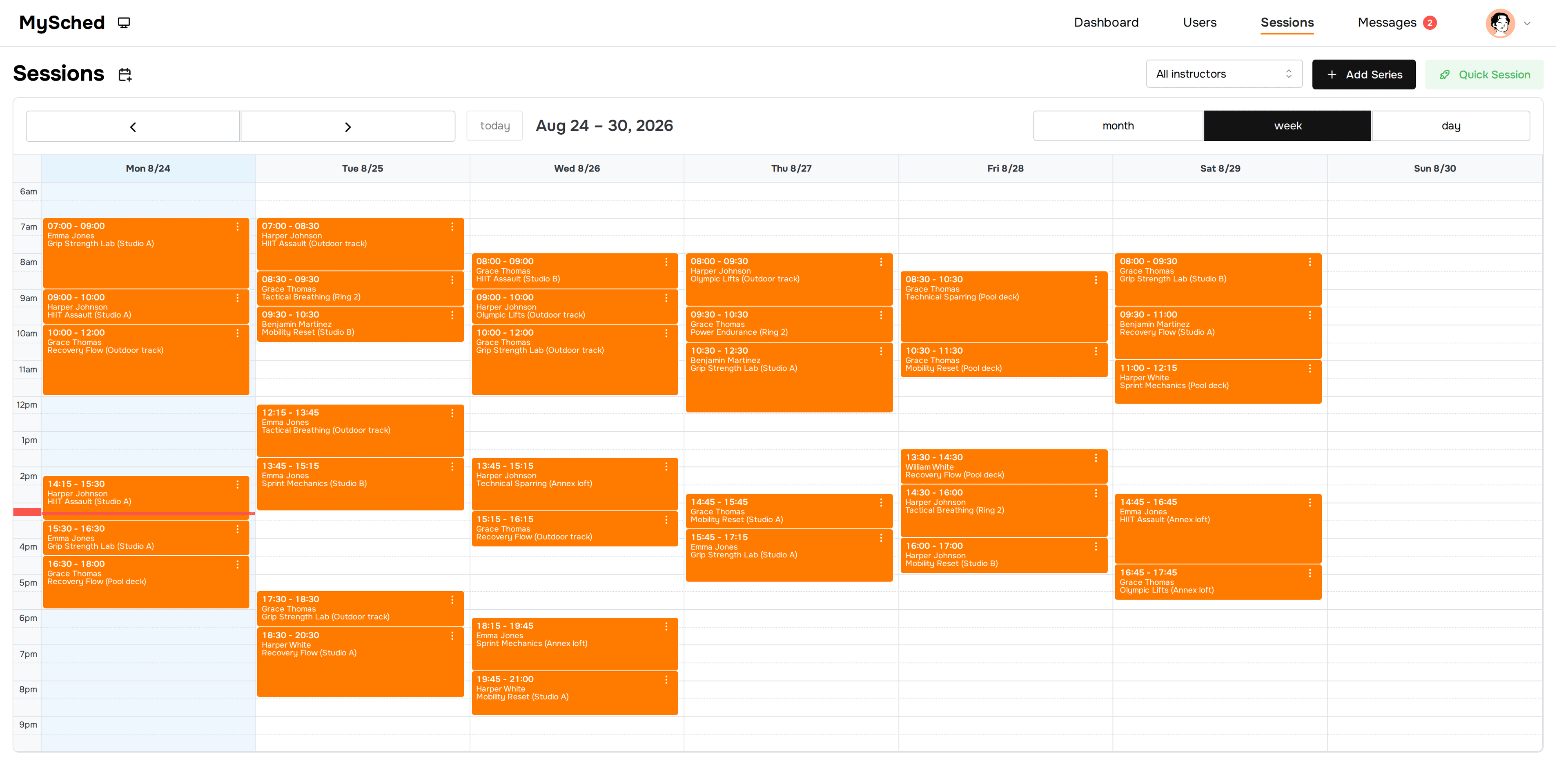
Day, week, and month views for groups and private clients.

Top-ups, session-price deductions, refunds, and client history.
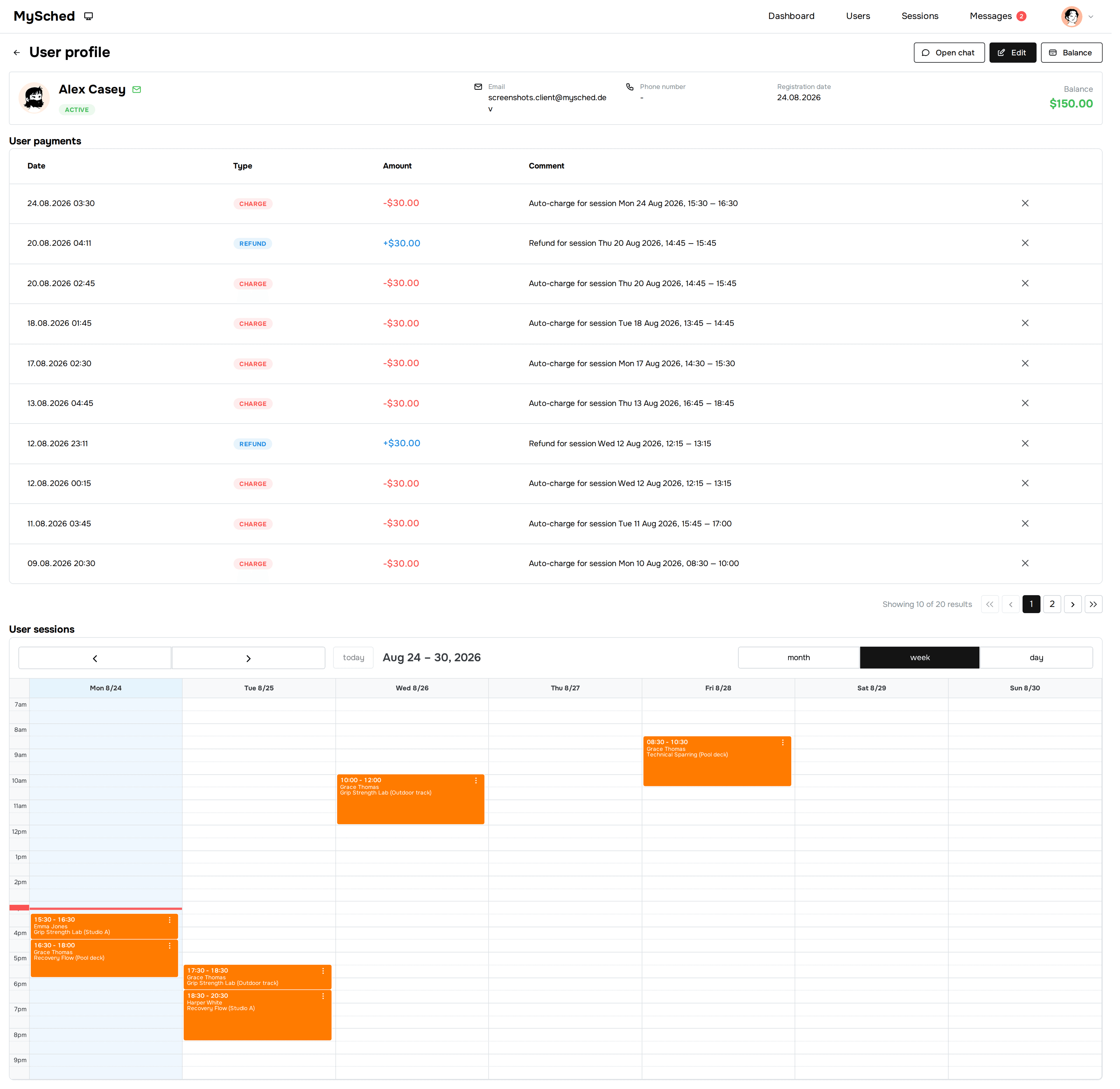
Track revenue trends, top clients, and breakdowns by session type from your dashboard.
See how prepaid balances and session-price deductions work →


From chats to one schedule
“Before MySched, my evenings were chats, payments, reschedules, and checking client balances. Now I open one place and see the week, the balances, and the changes I need to handle. That saves me more than 10 hours a week.”
Pricing
One subscription per company, not per client.
FAQ
Yes. One teacher is a good fit when they have recurring clients, groups, passes, or balances.
The current focus is back-office: schedule, clients, balances, session-price deductions from prepaid balances, and reminders.
Yes. You top up a client balance and MySched deducts lesson prices from it.
Yes. Roles and team access are supported.
Yes. Group classes, private lessons, and recurring series live in the same calendar, and quick sessions cover walk-ins.
MySched offers simple, predictable plans per company without per-client fees: Solo is $49/mo and Small Team is $149/mo, with a free plan to get started.
Most studios create the schedule, add clients, and send the first reminders within a day. No onboarding calls required.
Yes — that is the main scenario. Add your active students and groups, top up balances with what each client has left, and MySched handles lesson-price deductions and reminders from there.
Dance studio management software is a back-office tool that keeps class schedules, students, passes, and prepaid balances in one place. Instead of juggling spreadsheets, group chats, and paper lists, the studio runs one calendar where every class, teacher, and student balance stays connected — and reminders go out automatically.