Schedules juggled across tutors
Group courses and one-on-one lessons across rooms and tutors — conflicts surface only when two students arrive at once.
Schedules, teachers, clients, passes and reminders for your learning center — no spreadsheet chaos, no private chats.
You choose the reminder and balance deduction times. Messages are shortened in this example.
Sound familiar?
Group courses and one-on-one lessons across rooms and tutors — conflicts surface only when two students arrive at once.
Families pay for 8 or 16 lessons upfront; tracking what is used and what remains by hand always drifts.
When is the lesson? Was it rescheduled? How many remain? Each answer is typed manually, every day.
Missed lessons, makeups, and refunds without clean records turn month-end into detective work.
How it works
Schedule, prepaid balances, and reminders without spreadsheets or chats. More time for your clients.
Set up course structure, groups, and recurring lessons across a semester or month.
Top up student balances; MySched deducts lesson prices and keeps attendance history.
Auto-deducts, refunds on misses, and reminders to clients and parents.
Core features
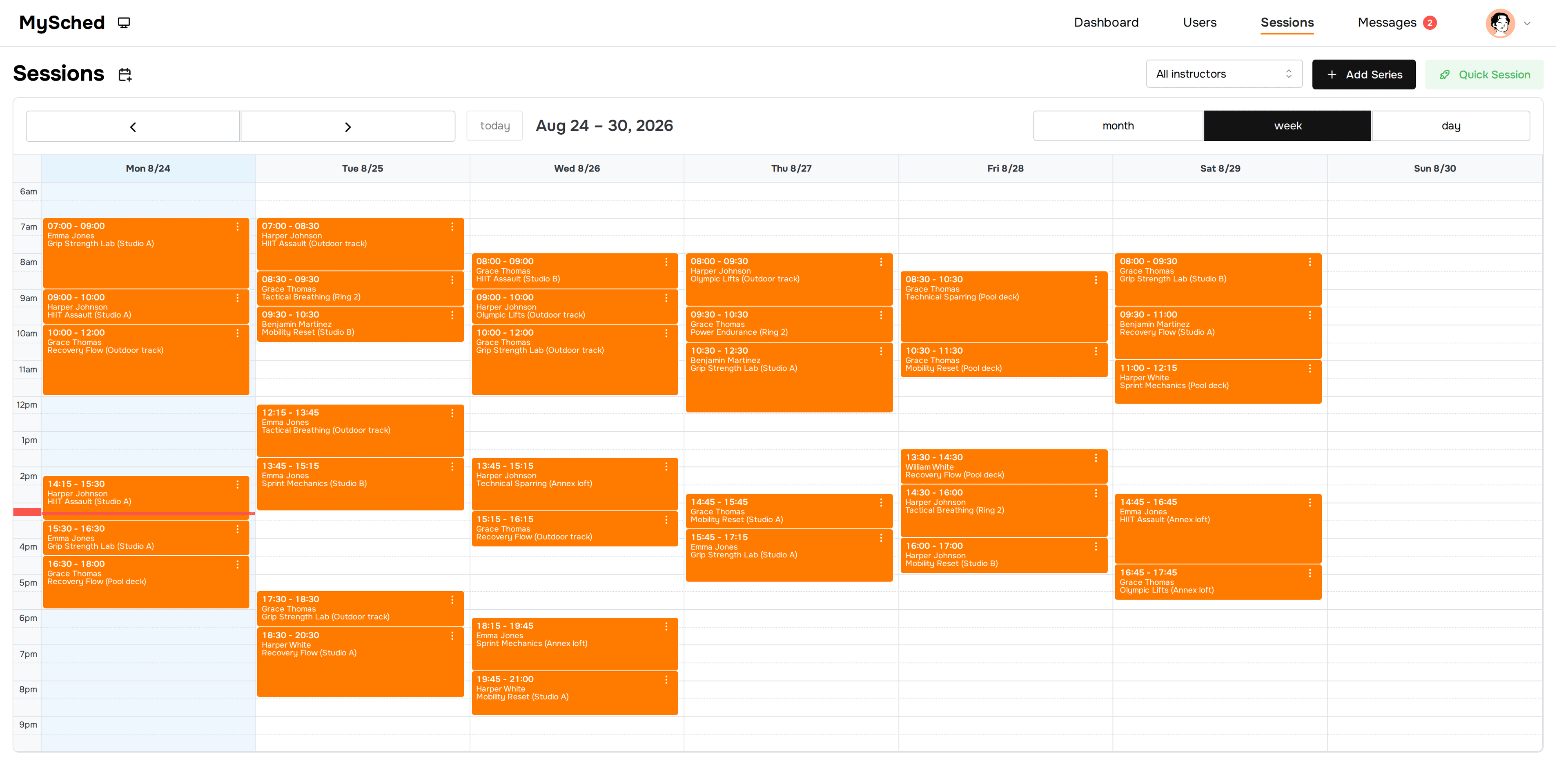
Groups, courses, and one-on-one lessons in one shared team calendar.

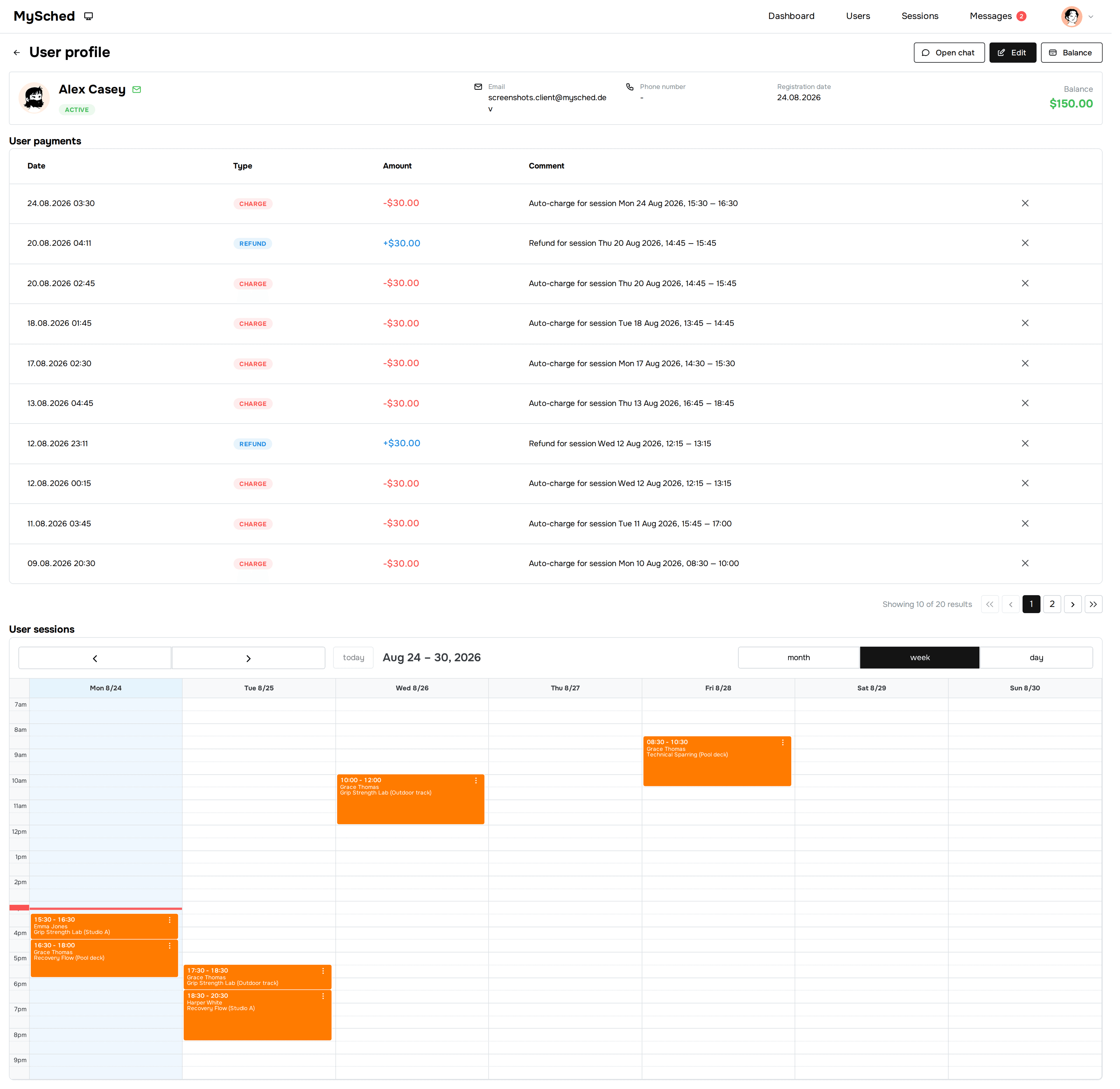
Clients top up balances; MySched deducts lesson prices according to the center's rules.
Track revenue trends, top clients, and breakdowns by session type from your dashboard.
See how prepaid balances and session-price deductions work →

From chats to one schedule
“Before MySched, my evenings were chats, payments, reschedules, and checking client balances. Now I open one place and see the week, the balances, and the changes I need to handle. That saves me more than 10 hours a week.”
Pricing
One subscription per company, not per client.
FAQ
Yes. If the center runs regular group or one-on-one lessons with kids, passes, or prepayments — MySched removes manual tracking and parent-chat chaos.
Yes. Each course or program is its own series of lessons with its own teacher, schedule, and clients.
Yes. Each student has full lesson history, cancellations, reschedules, and remaining balance visible in one card.
No. MySched is a back-office for schedule, clients, passes, and reminders. It is not a state-grade school SIS or an LMS with lessons.
Yes. A solo tutor with recurring students, prepayments, or packages gets the same calendar, balances, and reminders — and can add staff later.
MySched offers simple, predictable plans per company without per-client fees: Solo is $49/mo and Small Team is $149/mo, with a free plan to get started.
Most centers add tutors, groups, and students within a day and send the first reminders the same week.
Yes — that is the main scenario. Add active students and groups, top up balances with remaining lessons, and MySched handles lesson-price deductions and reminders.
Tutoring center management software runs the admin side of a tutoring or learning center: lesson schedules, tutors, students, prepaid packages, and reminders in one system. Unlike a school information system or an LMS, it focuses on operations — who studies when, with which tutor, what is paid, and who needs a reminder.